Friday, December 6, 2024

Day3: Photo critique practice & weekend Photostory # 3

 Did you submit your Top 10 compositions definitions on Wednesday? if late write a review for this Video... Take Your Digital Photography to the Next Level!  watch this video

 Do now: email your three photographers' name and a link to the photo that you would like to be considered for Project 5 Mimicking the masters.  slide link

pls private comment before turning in your list.

Classwork: Day 3 of Photo critique Picture # 5 & 6

(Taking away the excess - dark gray area)
quick-crop Effect at lunapic.com

Critique picture # 5 

1. What is the subject? which art element does it convey?
2. How is it lit? what type of light do you see? hard, soft, transmitted or reflected light
3. Where is the subject placed in the picture? what composition do you see?
4. How would you set the camera up for a similar shot? 
ISO _____, f/ ____, ______sec, ______mm
5. What is the message you get from looking at the picture?

Critique picture # 6


HW: PS# 3 - taking photos with new rubrics - top 10 compositions Due 12-11-24

HW: Weekly Photostories google slide on google classwork. Start taking pictures this weekend. PS# 3 due Wednesday.

Thursday, December 5, 2024

Photo critque - Day 2 (photo # 3 & 4)

 Photo critique # 3 & picking master photographers... for Project 5

 Do now: goto google class room for your class list... Pls pick 3 photographers from the list for your project 5 next week. no repeats. AJS11-06

Critique Photo Day 2

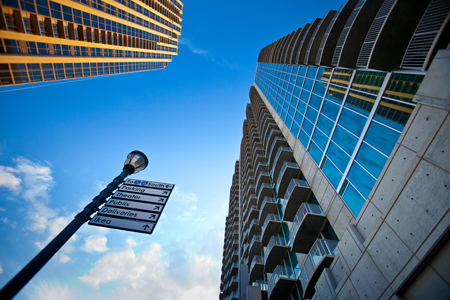
picture #3  https://forms.gle/1ggGsqFwtBGVWwwh8


1. What is the subject? which art element does it convey?
2. How is it lit? what type of light do you see?
3. Where is the subject placed in the picture? what composition do you see?
4. How would you set the camera up for a similar shot?
   ISO= ________, f/ _________, __________sec. ___________mm
5. What is the message you get from looking at the picture?


***********************************************************************************************************************

Q4: Reference chart


***********************************************************************************************************************

Wednesday, December 4, 2024

How to Critique a Photo...


Do now: new MP3 album made? Turned in your Top 10 composition assignments? 

 what is your Photo- story # 3 going to be about? (your category / genre)

how do you critique a photograph?


on a loose leaf let's practice... due as exit slip
1. What is the subject? which art element does it convey?
2. How is it lit? what type of light do you see?
3. Where is the subject placed in the picture? what composition do you see?
4. How would you set the camera up for a similar shot?
    ISO_____, F-stop F/ __, shutter speed ____sec and focal length ____ mm
5. What is the message you get from looking at the picture?
critique# 1 pc:flickr by Marie Coleman

reminder... type of light maybe HARD, SOFT, TRANSMITTED or REFLECTED
ART ELEMENTS         vs            10 composition rules 
 Lines                             ⤄              Rule of Thirds                        Background    
 shapes / form               ⤄              Balancing Elements                Depth  
 space                           ⤄              Leading Lines                         Framing    
 value                            ⤄              Symmetry and Patterns          Cropping  
 Texture                        ⤄               Viewpoint                              Experimentation
 color
critique # 2 Pc:flickr by Delila

Monday, November 25, 2024

Project 4 - Effect of various Shutter Speeds ...

Project 4 - Effect of various Shutter Speeds ...


    • if it's going to be daytime find a water fountain...
    • using live mode photo
      swipe up  in iPhone 


       Long exposure (3 sec delay)

    • in Android use camera MX
    • Google photo picture # 58-60
      #58 - fast shutter speed
      #59- slower shutter speed
      #60 Photo edit version

    • Due Wednesday 11-26-24
    • Project #4: Effect of Various Shutter Speeds Write up... 
    • pre-project preparation: Add Photo# 56 & # 57 and explain why you chose one over the other for your project.
    • #1: Explain how you derived your camera setting for this project? app used. (what was the lighting condition like?)
    • #2:How did the camera captured the motion? (shutter speed used, etc).
    • #3:What did you do for your post-editting? List them
    • #4:How is your photo an artwork? (also include composition).
  • https://vimeo.com/700355550

light painting ideas:  https://youtu.be/GSyEx4b4cyQ


editting of picture 59 for picture 60

Editing your shutter speed artwork (light painting) in google photo album -\ tap Edit Edit and toggle side bar to see editing selection. Focus on darkening the background- so the light stands out - isolating the light trail. save your edit.

  1. Open the photo you want to edit.
  2. Tap Edit Edit and then Adjust.
  3. Select the type of effect you want to apply to your photo and move the dial to make changes.
  4. When you finish, tap Done.
  5. To undo an effect, deselect the option or tap Cancel.

for #60 repeat edit procedures - but this time save a copy for # 60. so you can see both before and after photos.

Learn more ways to adjust photos

Important: Some features might not be available on your device.
  • Tap Depth  to adjust what depths of your photo are blurred instead of in focus.
  • Tap Brightness  to adjust the overall lightness or darkness.
  • Tap Contrast  to adjust the difference in tones.
  • Tap White point  to adjust the brightest value.
  • Tap Black point  to adjust the darkest value.
  • Tap Highlights  to adjust the detail in the brightest areas.
  • Tap Shadows  to adjust the detail in the darkest areas.
  • Tap Saturation  to adjust the intensity of colors.
  • Tap Warmth  to adjust the color temperature.
  • Tap Tint  to adjust the hue.
  • Tap Skin tone  to adjust the saturation of the skin-colored tones.
  • Tap Blue tone  to adjust the saturation of the blue tones, like sky or water.
  • Tap Pop  to adjust the local contrast of edges.
  • Tap Sharpen  to sharpen fine details.
  • Tap Denoise  to smooth out noise.
  • Tap Vignette  to reduce the brightness around the edges of the photo.
  • Tap HDR  to enhance brightness and contrast across the image for a more balanced photo. 
what shutter speed for this photo? fast or slow? 


we learned about shutter speed. Shutter speed is exactly what the name suggests. It is the amount of time the shutter stays open for while capturing an image. A high shutter speed, captures an image quickly and produces a very clear image. A lower shutter speed takes an image a lot slower, allowing for capturing an object on the move and giving it a nice effect. It often leads to blurred imagery.


Friday, November 22, 2024

Light painting & project # 4: art with shutter speed effects

 light painting practice for Project 4: art with Shutter speed effects 

Do now: did you bracket shutter speed yesterday? what were the effects of various shutter speed in the daytime with sufficient lights?

This is the last project for report card # 2 - when we return from Thanksgiving we have online Quiz on PPT#4 & 5 . 

    Classwork: light painting (trails...)

    Light painting your name initial (s).

    Night time shutter speed photography with  Light trail painting ...

    for light painting practice... use ISO 100
    still TV mode but start with 1 second, add more time if needed - might need tripod.
    light paint your name or initial (picture #57) https://youtu.be/j51kkw3ArM8


    HW: Download app for long shutter speed and take your motion / light trail photos. 

light painting ideas:  https://youtu.be/GSyEx4b4cyQ


or draw out these shapes for extra credit

side note - post edit

Thursday, November 21, 2024

Week 5: Shutter speed bracketing

 Do now: make sure you have write your observations for Pic # 52-55 in MP2 album. They will be part of the project test grading for project /test # 3.

Mp2 Mid-term check: PPT# 4- Camera Lens, PS# 2:Food diary, Bokeh portrait project # 2,  PPT# 5 - Light and Exposure, White balance project # 3, Quizzes

what's left for Mp2 report card?  & Effect of shutter speed project # 4

Classwork: Shutter speed bracketing- practice for Project # 4 option 1: Daytime shutter speed

make your collage in a new google slide ---> FILE---> download----> img: JPEG (current slide)

*DSLR Practice (Tv mode) how to capture motion with Shutter Speed bracketing picture# 56 Upload & share! 
phone options
install LIGHTROOM - https://apps.apple.com/us/app/adobe-lightroom-photo-editor/id878783582
goto professional (PRO) cam and choose the following shutter speed (see below)

Wednesday, November 20, 2024

Quiz 2B on PPT# 5

 Quiz 2B 

based on PPT# 5 (ch3 summary) and White balance project.

if absent or need to retake Mp2 Quiz (on paper) 

Mp2 album check list so far...

# 31-40 PS# 2: Food Story

# 41-42 AV (aperture set: f/22 vs. f/5.6) Exposure triangle practice 

# 43-44 Reflector photos

# 45 abc DSLR practice in f/22 (regular)

#46  abc DSLR practice in f/5.6 (Bokeh)

# 47 a b c (control group for Project /Test # 2) which one has the deepest Depth of Field (Dof)? F/16

# 48 a b c (Bokeh Portraits) which one is best for Bokeh? F/1.4

# 49a-49bTV (shutter speed set: 1/500s vs 1/5s) Exposure triangle practice

# 50a-50b M (ISO set: ISO 100 vs 6400) Exposure triangle practice

# 51 ISO bracketing

#52- AWB under yellow light bulb + observation (0)
#53 -MWB (incandescent) under yellow light bulb + observation. (-1000)
#54 - AWB under LED light + observation (0)
#55 - MWB (fluorescent) under LED light + Observation (+1000)