Do now at the back of your drawing paper pls add the steps to operating a camera. (pg 6-7)
add step 10: transfer photo via USB port.
Classwork Pg 27 (back and bottom of the DSLR)
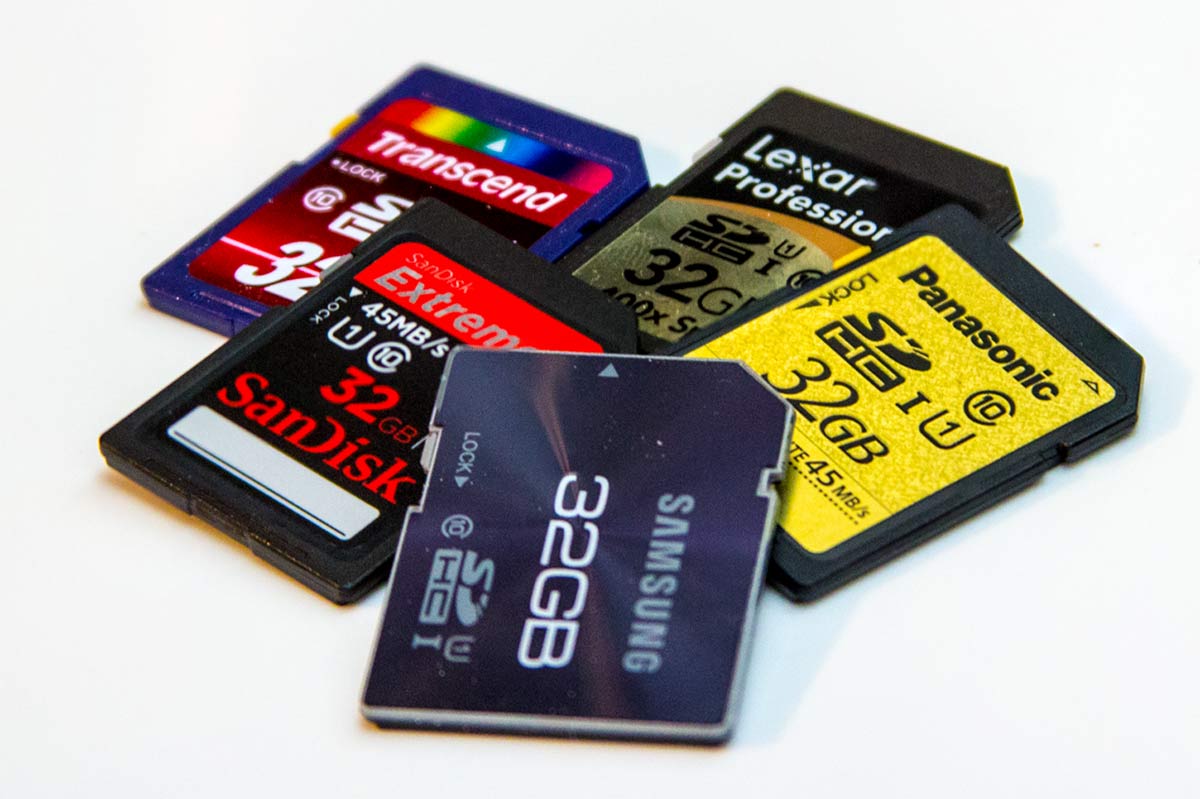
Reminder: Sd card due tomorrow with Quiz
Do now at the back of your drawing paper pls add the steps to operating a camera. (pg 6-7)
add step 10: transfer photo via USB port.
Classwork Pg 27 (back and bottom of the DSLR)
Reminder: Sd card due tomorrow with Quiz
Canon T6 DSLR Diagram
Do now: did you email your Press Pass.pdf to mcsmphoto@gmail.com AJS11-0__ your name Press Pass?
Classwork: Learning the parts of a DSLR (Canon T-6) <3
get your handout of the DSLR Front side Pg 26 and draw it on the top part of the paper
Reminder: did you get your SD card yet? get SD card (2GB minimum) deal from Amazon, Best Buy or Target
Do now: Now that your album is updated (labeled)- let's check out each other's photo albums. you should have at least 2 comments from your classmates. (turn to the left and right side to scan the QR code) and comment on photo# 2 - Best Photo so far... get to know your classmates - you will be working in groups later.
Classwork: day 2 of Press pass link to steps https://docs.google.com/presentation/d/1oLSYvbrwHAJcQ4a8AHfEqK1wzakCdmFwQdz9_zik4Hw/edit?usp=sharing
Yesterday we learned about layering the photos and reshaping with cropping tools.
Today we are going to add text and rotate the work before submitting to google classroom. Pls print out by Friday.
hw: bring a pencil for drawing tomorrow... we will be studying the parts of the camera that we will be using.
********************** if you finish early ****** check out http://www.500px.com ********************
Day 3: 9/11/23

Do now: Did you sign up on Google classroom? Download the google photo app? send your selfie?
Tear out the bottom part of the computer lab contract - collect them by rows or tables and give them to Miss Wang.

 or
or 
Computer
Lab Agreement
With Miss
E. Wang
In
order to use the computer labs, students must sign and return this form. This computer lab policy will help the
computer labs stay in a clean, properly working condition. These rules will be strictly enforced and
monitored.
By
signing this form, you agree to the rules listed below.
While
in the computer labs, I will NOT:
1.
I
will NOT Eat or drink (this
includes gum and candy).
2.
I
will NOT Damage the computer
hardware or software.
3.
I
will NOT Modify the computer
settings in any way (this includes changing the screensaver, wallpaper, icons,
etc.).
4.
I
will NOT Use another person’s
username and password.
5.
I
will NOT Share my password
with others.
6.
I
will NOT Trespass in other’s
folders or files.
7.
I
will NOT Visit unauthorized
or unacceptable websites.
8.
I
will NOT “Hack” into websites
that are blocked.
9.
I
will NOT List personal
information such as name, address, phone number, etc. on websites.
10. I will NOT Download or install games,
music, software, etc.
11. I will NOT Participate in online
chatting (this includes instant messaging).
12. I will NOT Print anything without the
teacher’s permission.
13. I will NOT Print anything that is not
school related.
14. I will NOT Play computer or Internet
games without the teacher’s permission.
15. I will NOT Leave my computer
workstation area in a mess.
16. I will NOT Leave my workstation logged
in to the network after the bell rings to be dismissed.
17. I will NOT Save files to any place
other than my own FOLDER and acct.
No
warnings will be given. This document
serves as your personal warning as to what is considered acceptable behavior in
the computer lab.
Violations
of the computer lab rules may result in the loss of computer/Internet
privileges or other disciplinary action.
Student
Signature: __________________________________ Date ___________
Computer
#___
SD
card = ____ GB Parent signature:
_______________________Date: _______
Best
way to contact is by email _____________________________
Or phone # ___________________________
Text? Y/N
AJS11-01 https://classroom.google.com/c/NjIxNDg5NDcyMjA2?cjc=2dxikk3
2dxikk3
AJS11-02 https://classroom.google.com/c/NjIxNDkxNTQ1MzYw?cjc=76hvn3l
76hvn3l
AJS11-04 https://classroom.google.com/c/NjIxNTAyMDYxNDY0?cjc=6ir5aal
6ir5aal
AJS11-06 https://classroom.google.com/c/NjIxNDk5NTIxODY3?cjc=tqyqzjl
tqyqzjl
AJS11-08 https://classroom.google.com/c/NjIxNTAzNjc5MTU1?cjc=xp3lqvv
xp3lqvv
pls save any work that you'll like to keep for yourself from your school computer station by tomorrow 6/27/23 as the school will be cleaning up the desktops for summer school.
Have a great summer!
