Friday, September 12, 2025

Thursday, September 11, 2025

day 6 - Finish DSLR diagram + Quick start guide


Canon T-6 manual

http://gdlp01.c-wss.com/gds/8/0300022698/01/eos-rebelt6-1300d-im-en.pdf


Do now at the back of your drawing paper pls add the steps to operating a camera. (pg 6-7)

                                                                                  add step 10: transfer photo via USB port.

Classwork Pg 27 (back and bottom of the DSLR)

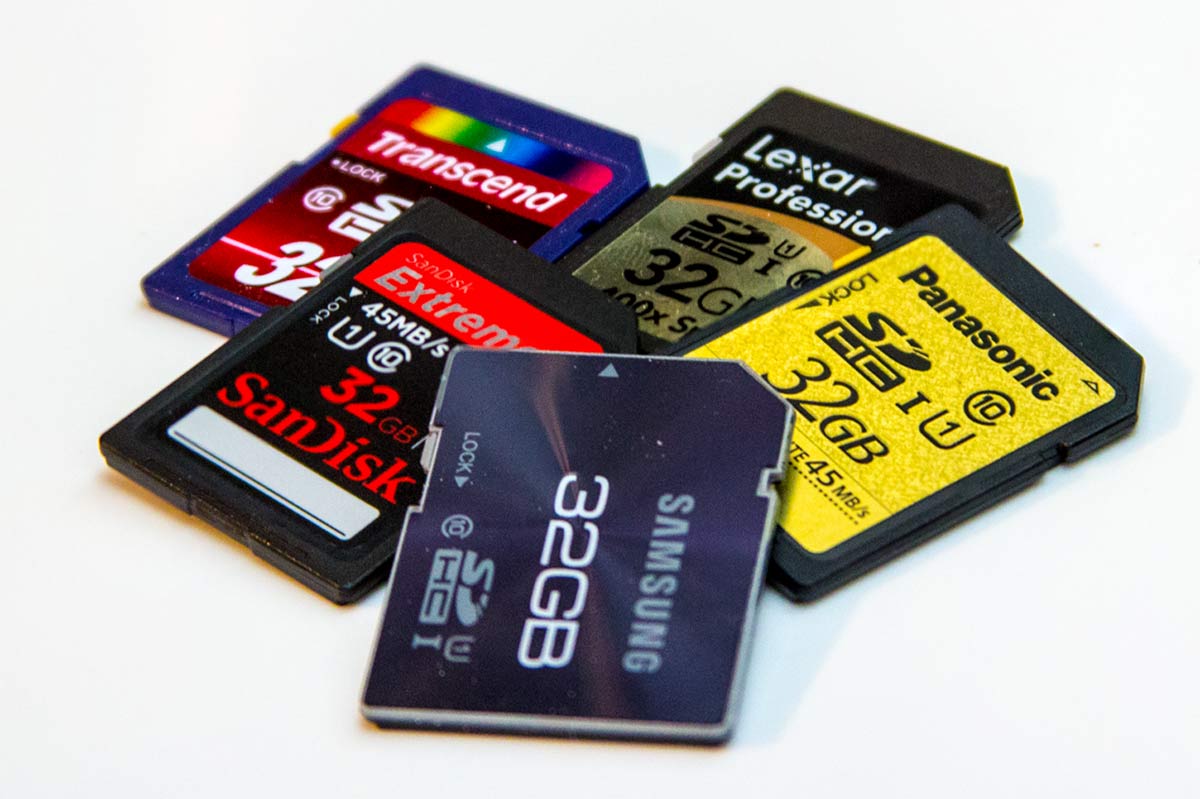
ReminderSd card due tomorrow with Quiz

Wednesday, September 10, 2025

day 5 DSLR Diagram - learning about Canon T6

  Canon T6 DSLR Diagram

 Do now: did you email your Press Pass.pdf to mcsmphoto@gmail.com AJS11-0__ your name Press Pass?

Classwork: Learning the parts of a DSLR (Canon T-6)                                               <3

get your handout of the DSLR Front side Pg 26 and draw it on the top part of the paper

http://gdlp01.c-wss.com/gds/8/0300022698/01/eos-rebelt6-1300d-im-en.pdf


draw the DSLR diagram first... 
pg 26 (Wednesday) & 27 (Thursday). Label after sketch.

ALSO: SD card check write your SD card size after your name in the attendance sheet.

HW: Print out your Press Pass
did you update your album to picture # 3?
      * Mp1 QR code
         1. Selfie
            2. Best photo so far
                3. DSLR Diagram- Canon T-6   

Tuesday, September 9, 2025

day 4 finish Press pass & Sd card check

 Reminder: did you get your SD card yet? get SD card (2GB minimum) deal from Amazon, Best Buy or Target

Do now: Now that your album is updated (labeled)- let's check out each other's photo albums.  you should have at least 2 comments from your classmates. (turn to the left and right side to scan the QR code) and comment on photo# 2 - Best Photo so far... get to know your classmates - you will be working in groups later.

Classwork: day 2 of Press pass link to steps https://docs.google.com/presentation/d/1yG6m25-urBq-DgQ-LipVN_TdtNweA6ur-apPF0sCrzw/edit?usp=classroom_web&authuser=0

Yesterday we learned about layering the photos and reshaping with cropping tools.

Today we are going to add text and rotate the work before submitting to google classroom. Pls print out by Friday.

hw: bring a pencil for drawing tomorrow... we will be studying the parts of the camera that we will be using.

********************** if you finish early ****** check out http://www.500px.com ********************

http://gdlp01.c-wss.com/gds/8/0300022698/01/eos-rebelt6-1300d-im-en.pdf

draw the DSLR diagram first... 
pg 26 (Wednesday) & 27 (Thursday). Label after sketch.

Monday, September 8, 2025

Day 3 Press Pass for Photography class

 Press Pass for Photography class

 Day 3:  9/8/25

 check on your progress in your sent mail... did you email the album link and the Qr code?
Recap: creating Google Photo album (portfolio)
log in to Gmail and access google Photo 
to create an album title AJS11-0_ your name MP1 then make QR code
 checkdid you reply to the " selfie & introduction" email with your album link & Qr code?

Did you log in to your Gmail and open Google Photo add your #2 best photo to the photo album and share with Miss Wang  (mcsmphoto@gmail.com)


Do now: Label your photos in your google Photo album.
you should have 3 pictures by today. * QR code, selfie then best photo so far...
Label then in the INFO side bar ( toggle it by pressing the INFO ( i ) button on the top right corner) and label with details/ descriptions
Day 1 of 2 for Press pass in Google Slide:
gather all materials then add to a google slide.
on the computer, you should have your selfie and Qr code already.
then go on the internet to find the front and back view of the CANON T-6 camera 
insert all graphics into google slide before we edit and arrange the graphics.
*************************

Friday, September 5, 2025

day 2 Google Photo album & Qr code


Google Photo album & Qr code

 Do now: Did you sign up on Google classroom? Download the google photo app? send your selfie?

               Tear out the bottom part of the computer lab contract - collect them by rows or tables and give them to Miss Wang.


classwork: (download your selfie from the email you sent to me yesterday).

today we will create an album for your art portfolio titled AJS11-0__ Your name MP1

tap on the share button (create a link) to get the album link. reply to your email. 

***** MAC - to copy is Command+C  to paste is Command+V ****

Create a QR code and send a reply with an attachment.

Step 1: goto https://www.qr-code-generator.com/

Step 2: paste your ALBUM link

Step 3: Download your QR code ( do not sign up, just X out)

Step 4: Make a copy (save as) "Your name QR"  *** MAC click on the Frame.png to edit***

Step 5: Reply to yesterday's email with album link with the attachment & upload it to the album so you can find it later.

then upload your selfie with the label. 

Exit ticket:  add INFO ( i button in circle on the top right corner) to label your photos.
Upload # 2: Best photo so far (not a selfie)... add a description of why it is your best so far...

HW: get SD card (2GB minimum) deal from Amazon have a great weekend and Happy Harvest Moon -if you celebrate it.

we exit to the staircase to the right (front part of the school building)

Thursday, September 4, 2025

Fall 2025 - new semester of Digital Photography

Fall 2025 semester - Digital Photography

 Welcome back to Digital Photography

Header image with words "Cell Phone and Electronic Device Policy"

New Term Fall 25- Welcome to digital photography with Miss E. Wang 

1 semester = 1 art credit from Digital Photography

Fall Term 2025 (Sept 4 to Oct 17)

Go over computer contract 
HW: signed by parents tomorrow
                                       and get SD card (2 Gb or more) over weekend.

Sign up for Google photo ( download google photo app)
upload selfie and send link to Miss E. Wang
email to: mcsmphoto@gmail.com
Subject: AJS11-0__ (your class period) Full Name - google photo selfie with introduction.
1.  one word to describe you.
2.  when and what art class did you take last?
3.  how many elective classes have you taken? 
4. what phone (camera) do you have? what computer do you have at home?
5. what is photography to you?
- - - attach selfie - - -
please upload selfie to Google Photo stream by tonight

please add
label: #1. Selfie
description: taken with ______________ (camera) & anything else you like for the caption.
Digital Photography
Material needed are: Digital Single Lens Reflex Camera (school)  & SD card (student) by 9/9/24

 or 


welcome and sign up on Google Classroom based on your schedule....

(use your NYC school email)

AJS11-02 -unzzkigd

AJS11-03 - ygkrnvbn

AJS11-05 - l3rbm4g4

AJS11-06 - 3wv7gqcq

AJS11-08 - lw2gel7t


Header image with words "Cell Phone and Electronic Device Policy"